Washington Transfer on Death Deed

Get your Washington Transfer on Death Deed notarized online quickly and securely. Our platform offers a seamless notarization experience, ensuring your document is legally compliant.

Notarize is trusted by 7000+
businesses, including...
Adobe logoTIAA logoUSAA logoTransamerica logo

Frequently Asked Questions

Can the Washington Transfer on Death Deed be notarized online?

Yes. Online notarization of the Washington Transfer on Death Deed is completely legal and secure. Your documents can be notarized online in minutes through the Notarize Network, starting at $25.

What are the requirements for the Washington Transfer on Death Deed?

The Washington transfer on death deed requires notarization, though witnesses are not required. The transfer on death deed must be recorded in the public records at the county auditor's office of the county where the property is located before the transferor's death. Additionally, it is essential to include a legal description of the real property using the Public Land Survey System (PLSS), and this information can be found on the property's deed or in the public records of the county auditor's office. Furthermore, the transfer on death deed can be revoked at any time during the transferor's lifetime by using specific documents, and the revocation must be acknowledged and recorded by the transferor before their death in the public records via the county auditor's office where the property is located. To record the transfer on death deed, the form must be completed and acknowledged, and then taken to the county auditor's office in the county where the property is located for official recording in the public records. Filing fees may vary by county.

What else do I need to know about the Washington Transfer on Death Deed?

Here are additional resources for the Washington Transfer on Death Deed that may be helpful:

How It Works

Getting a document notarized is easy. Simply upload your docs, verify your identity and you will be connected to a notary via an online meeting. Notaries on the Notarize Network are always online and available 24/7.

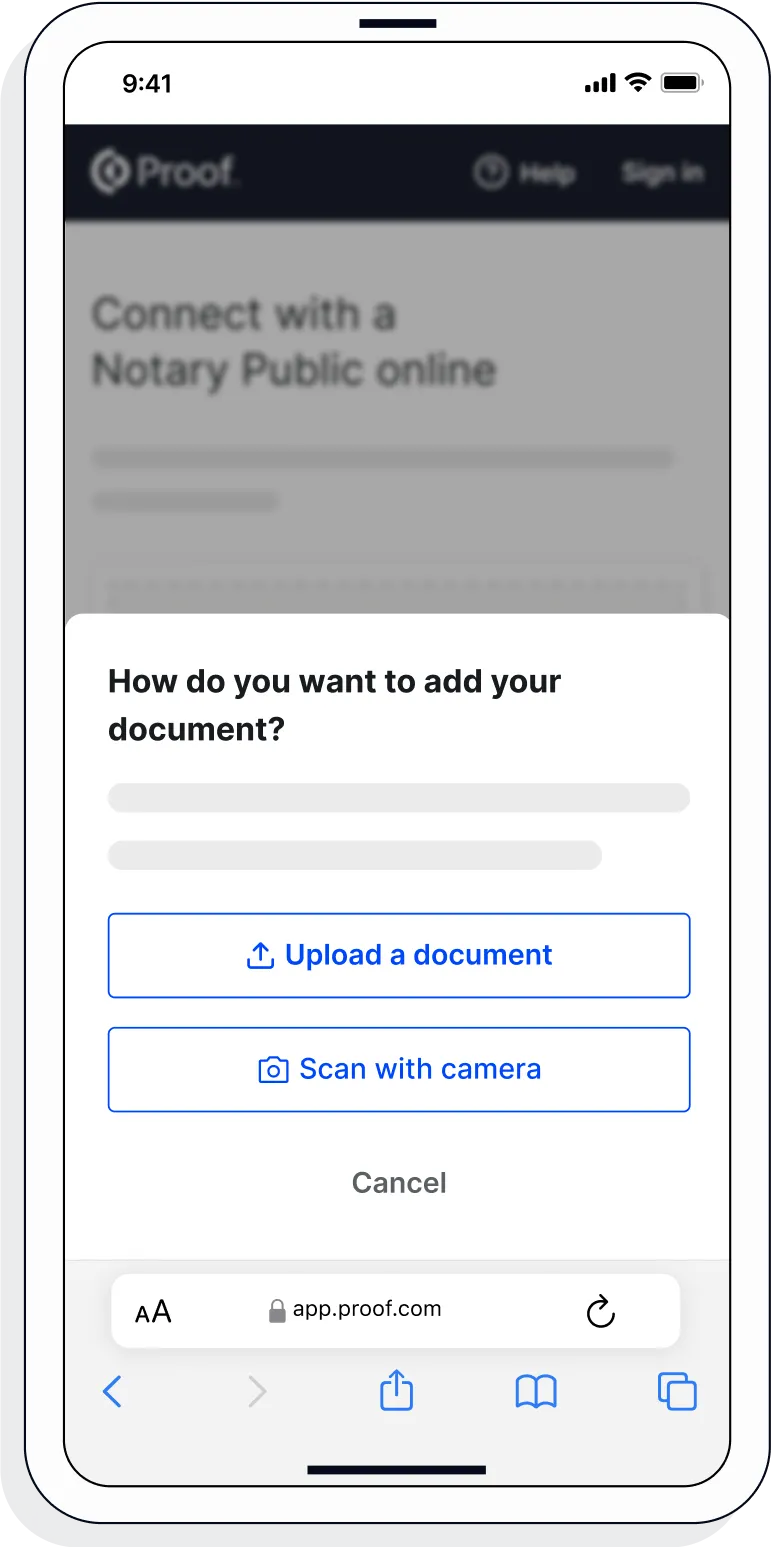
  1. 1. Upload or scan your document

    Upload the full document (not just the signature page) as a .pdf or .docx file. Don't have the file saved? Use your mobile phone to scan and upload the document.
    Product image on mobile phone showing how Notarize works
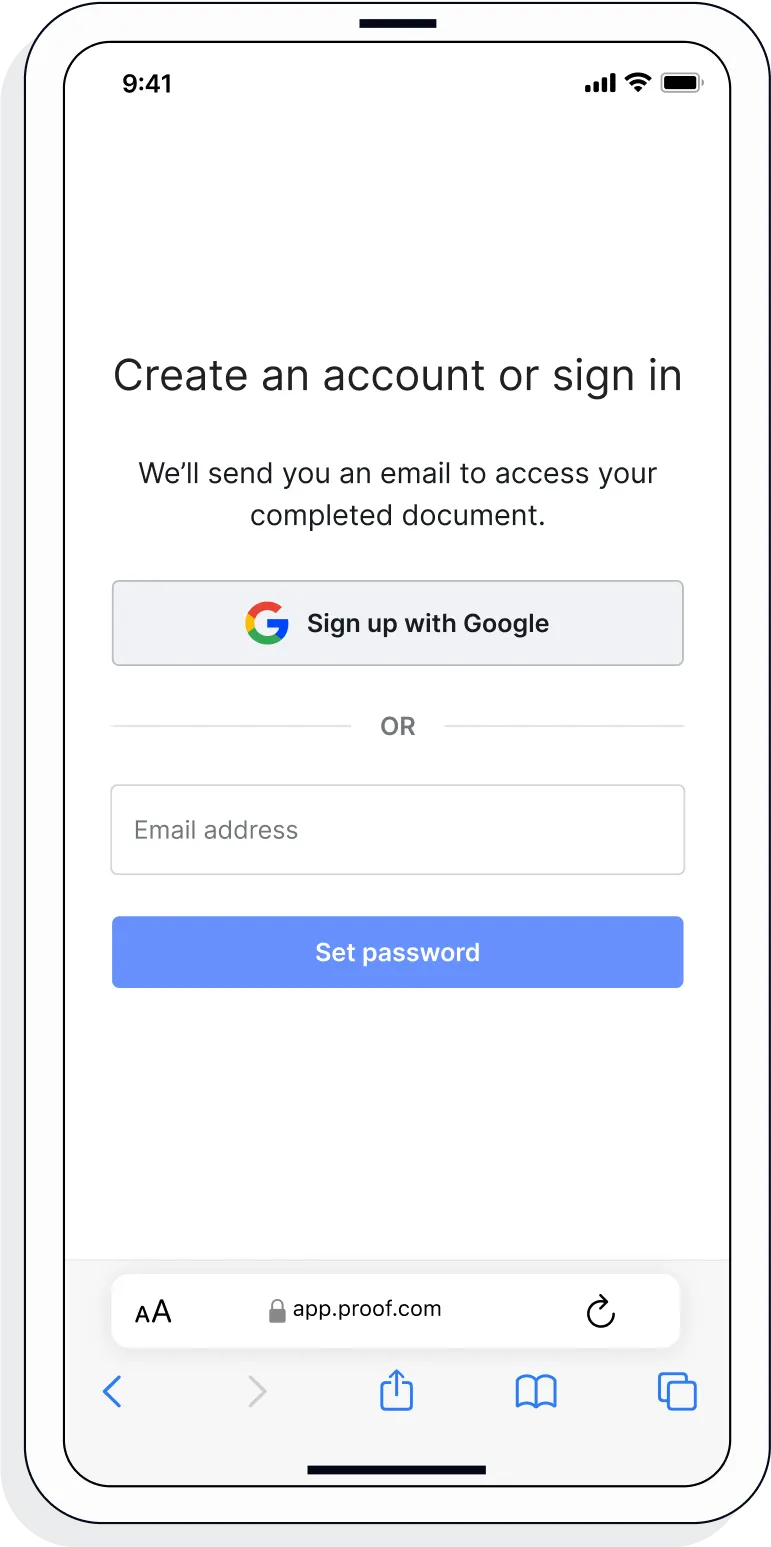
  2. 2. Create a Proof account

    Your documents and transaction details will be securely stored in your account where you’ll also be able to initiate future notarizations and eSigns.
    Product image on mobile phone showing how Notarize works
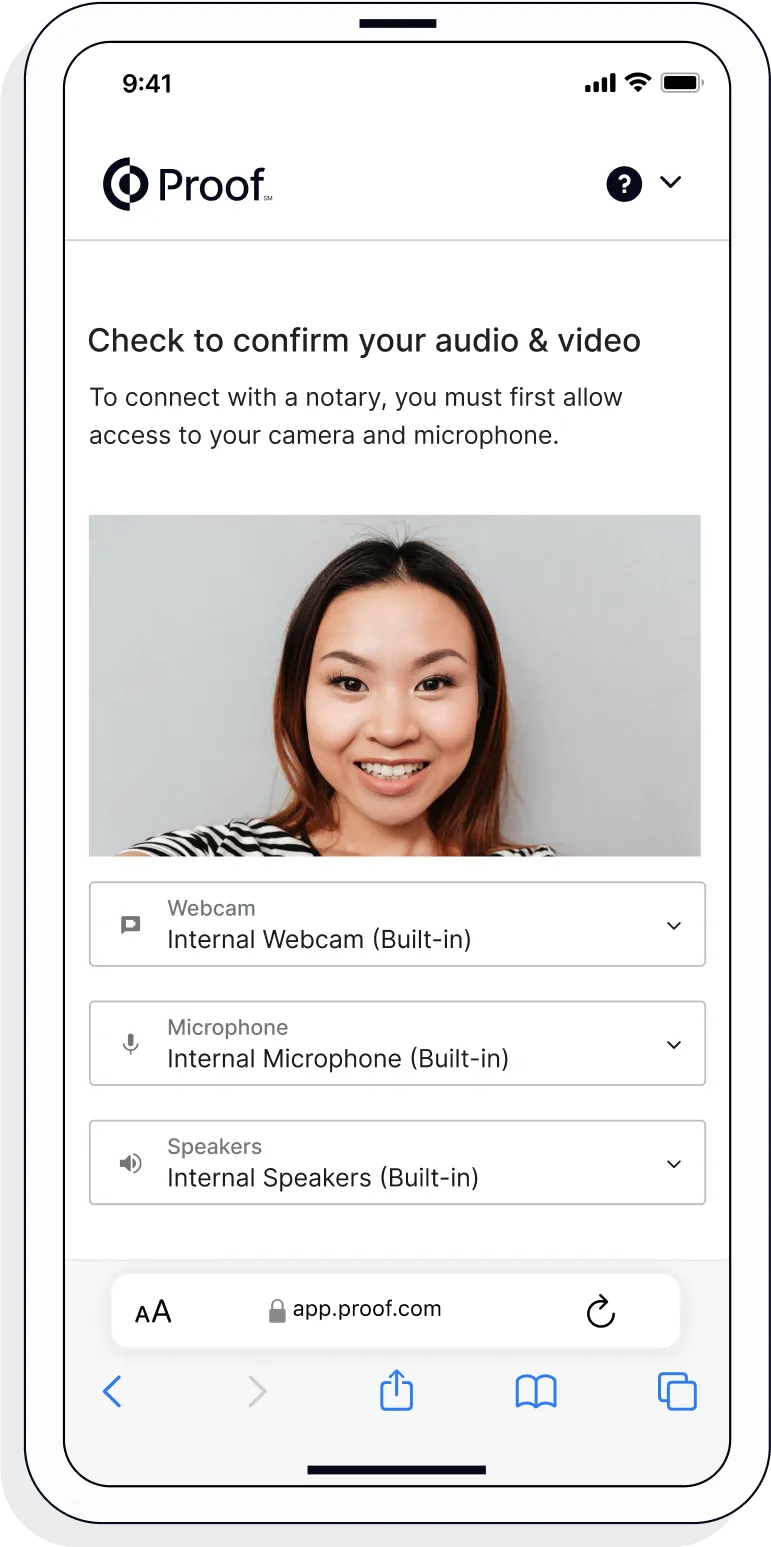
  3. 3. Verify your connection

    A Wi-Fi enabled device with a camera is required for all notary meetings. Having a strong setup will ensure you’re set up for success.
    Product image on mobile phone showing how Notarize works
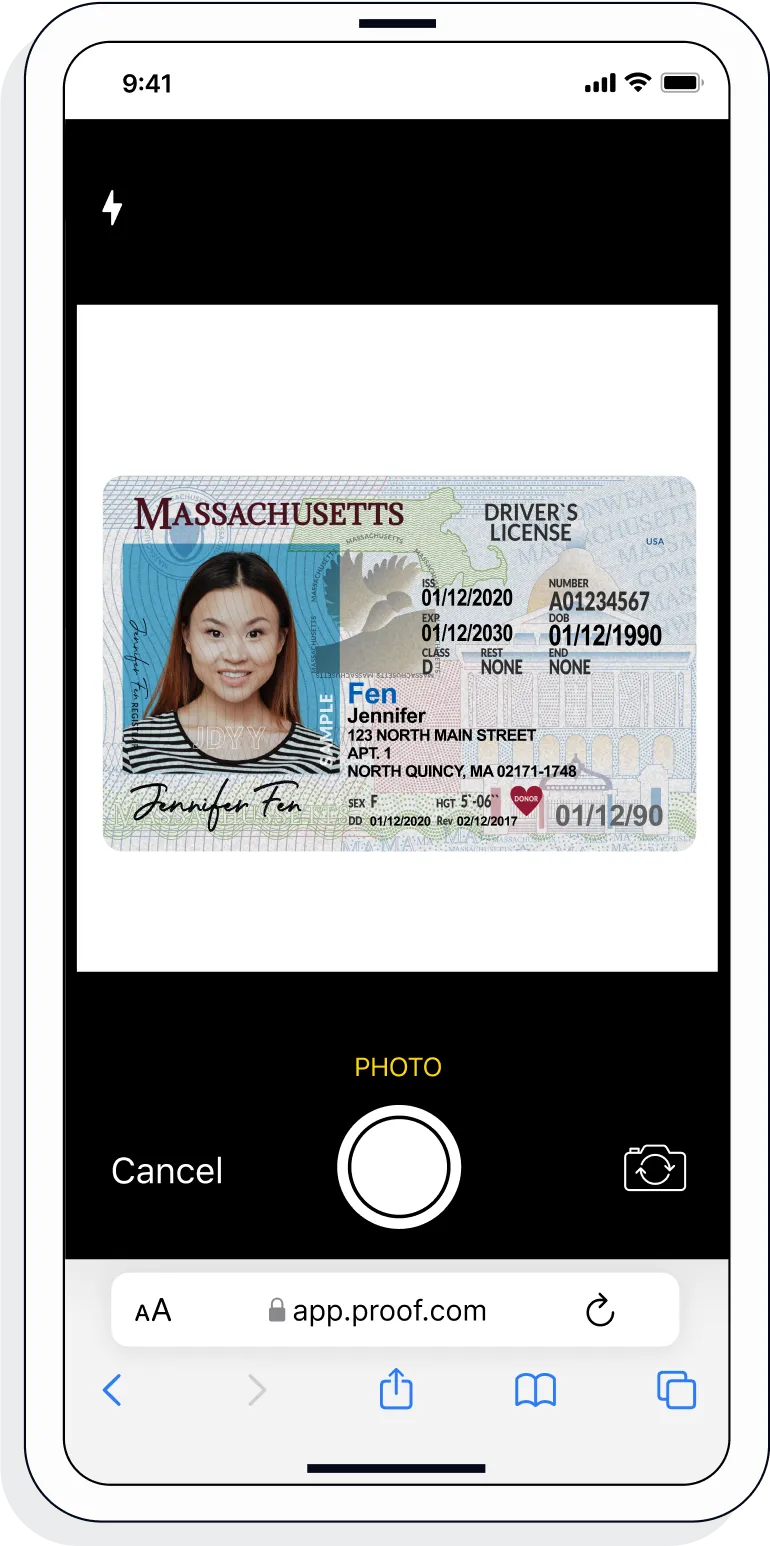
  4. 4. Verify your identity

    Proof uses identification verification technology to ensure a secure transaction. Answer a few questions about your past, take a photo of your ID, and we’ll confirm your identity in seconds.
    Product image on mobile phone showing how Notarize works
  5. 5. Connect with a notary on a video call

    Notaries typically get connected with signers in as little as 2 seconds and are available 24/7.

    Product image on mobile phone showing how Notarize works
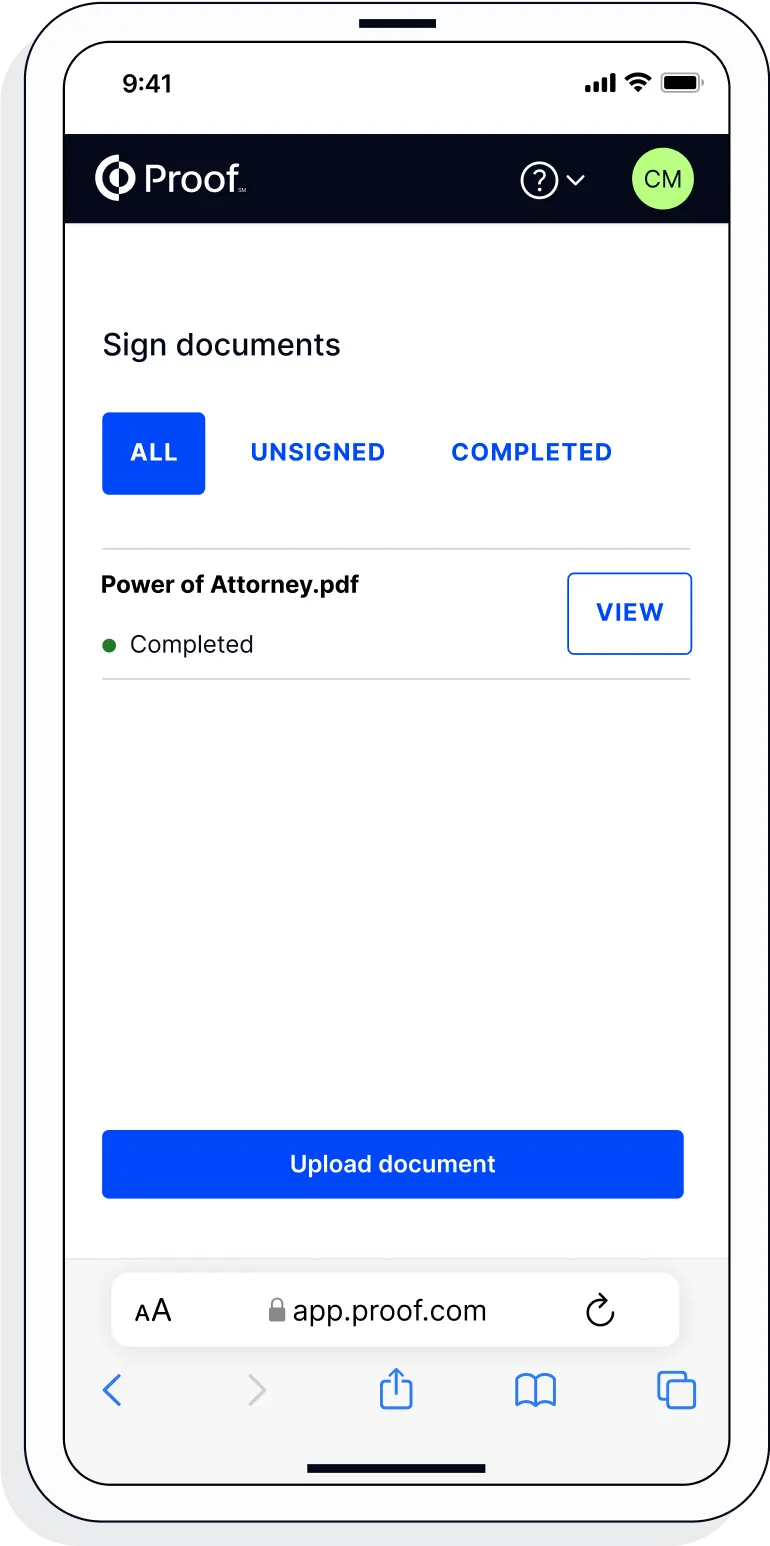
  6. 6. Access your completed document

    View and share your signed documents anytime directly from within the Proof platform.
    UI of a notarization meeting on a phone
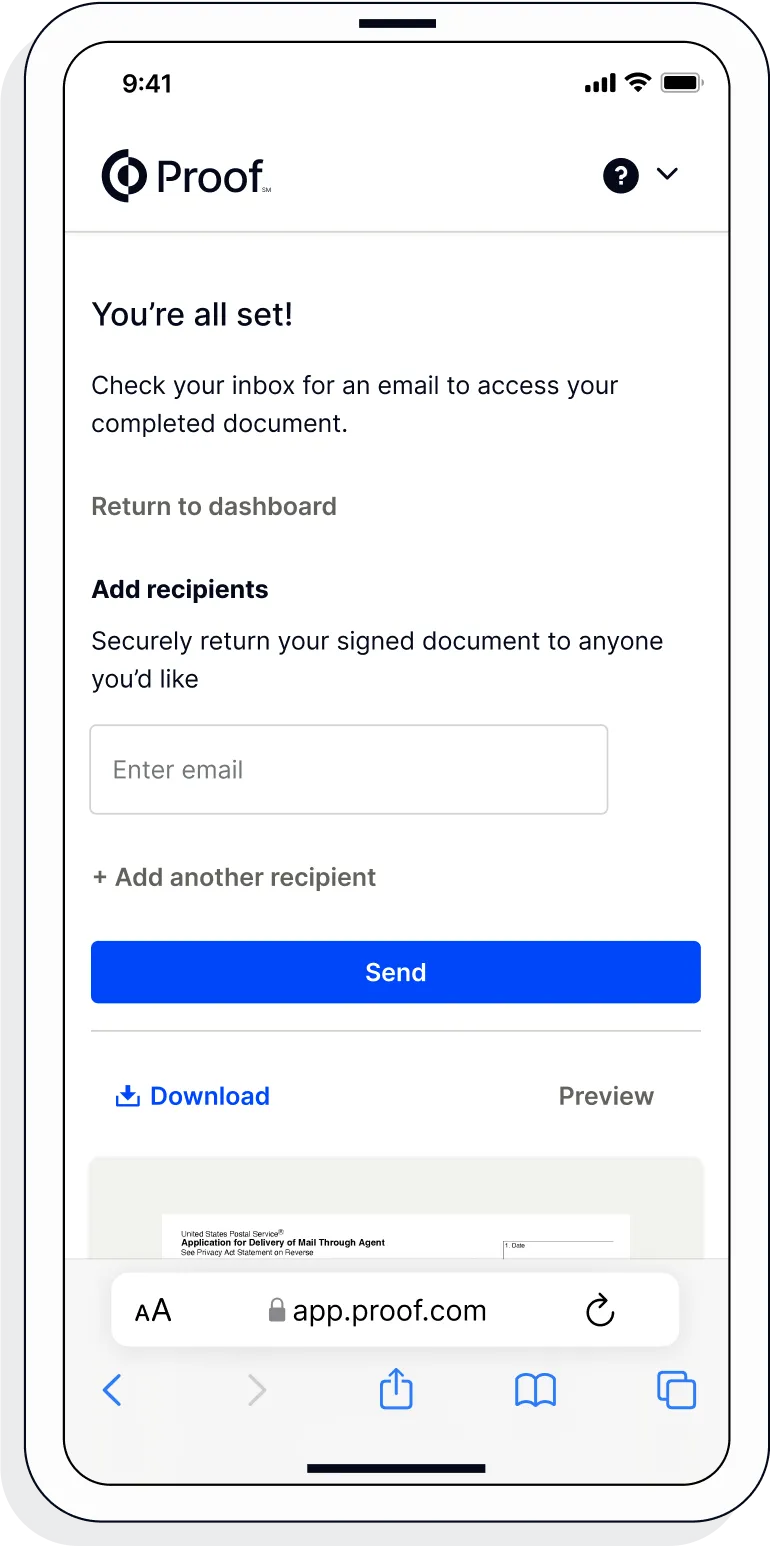
  7. 7. Download or send document to another person

    Share your documents within seconds.
    UI of a notarization meeting on a phone
Notarize this form
Product image on mobile phone showing how Notarize worksProduct image on mobile phone showing how Notarize worksProduct image on mobile phone showing how Notarize worksProduct image on mobile phone showing how Notarize worksProduct image on mobile phone showing how Notarize worksUI of a notarization meeting on a phoneUI of a notarization meeting on a phone